Current Features

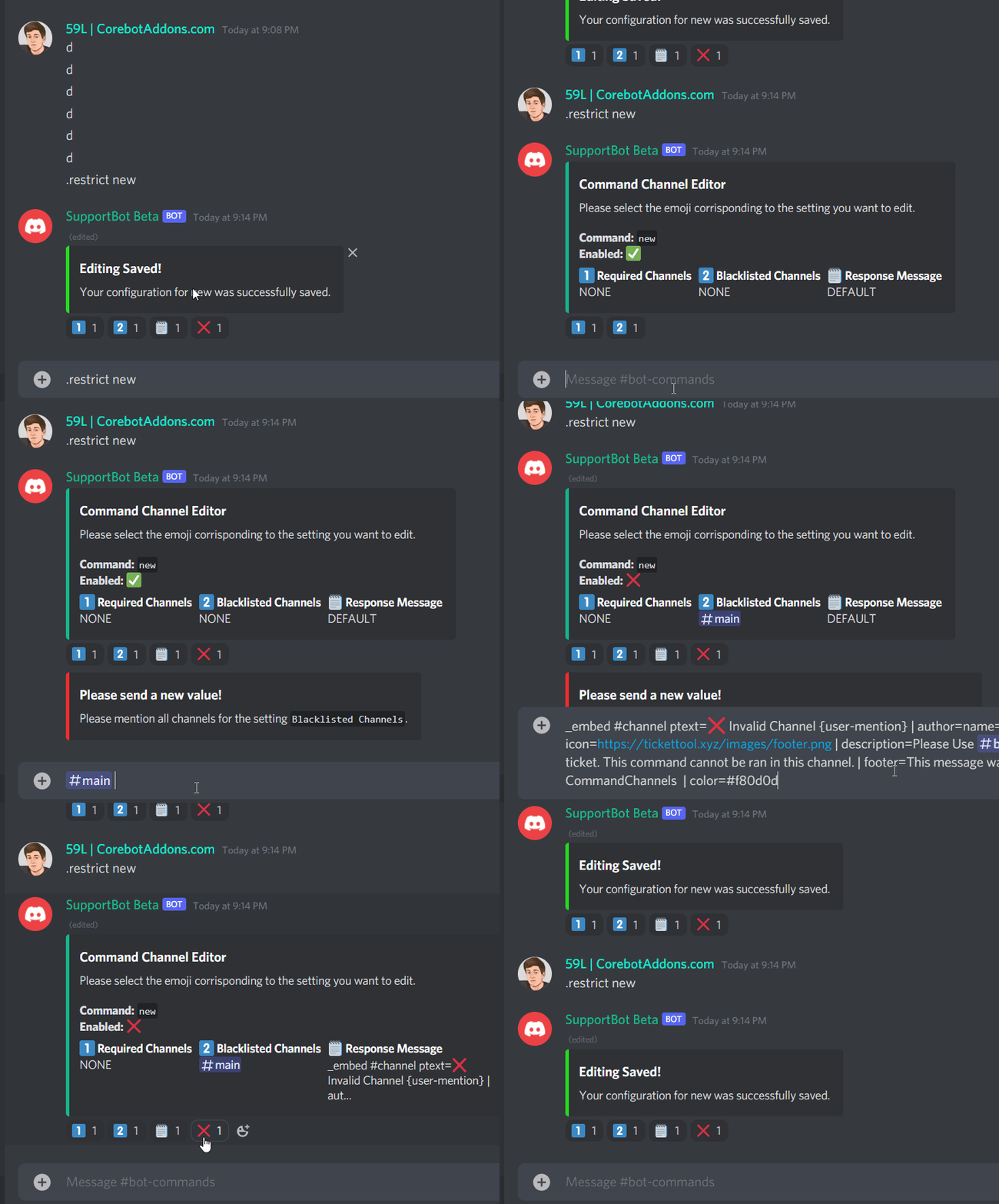
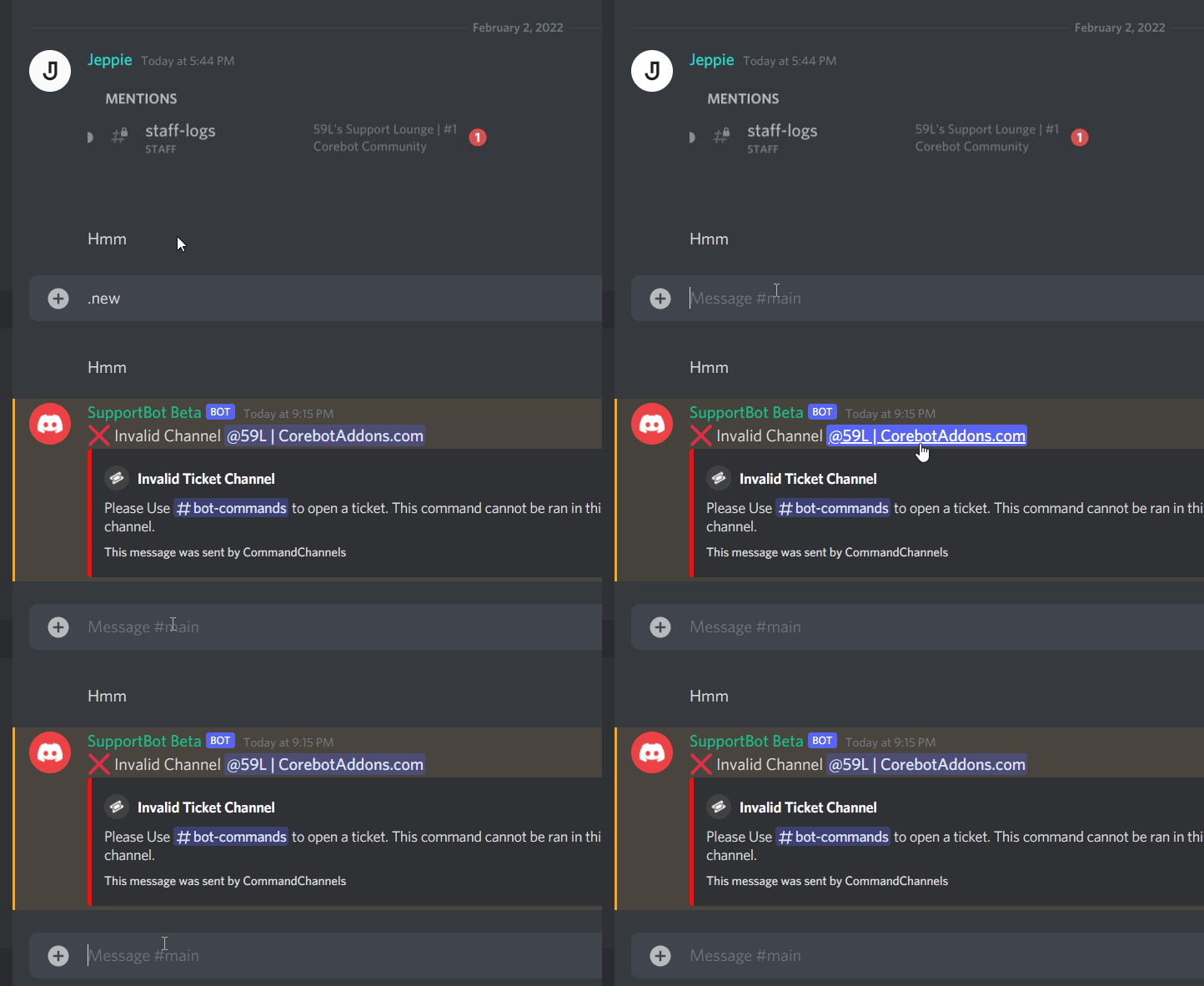
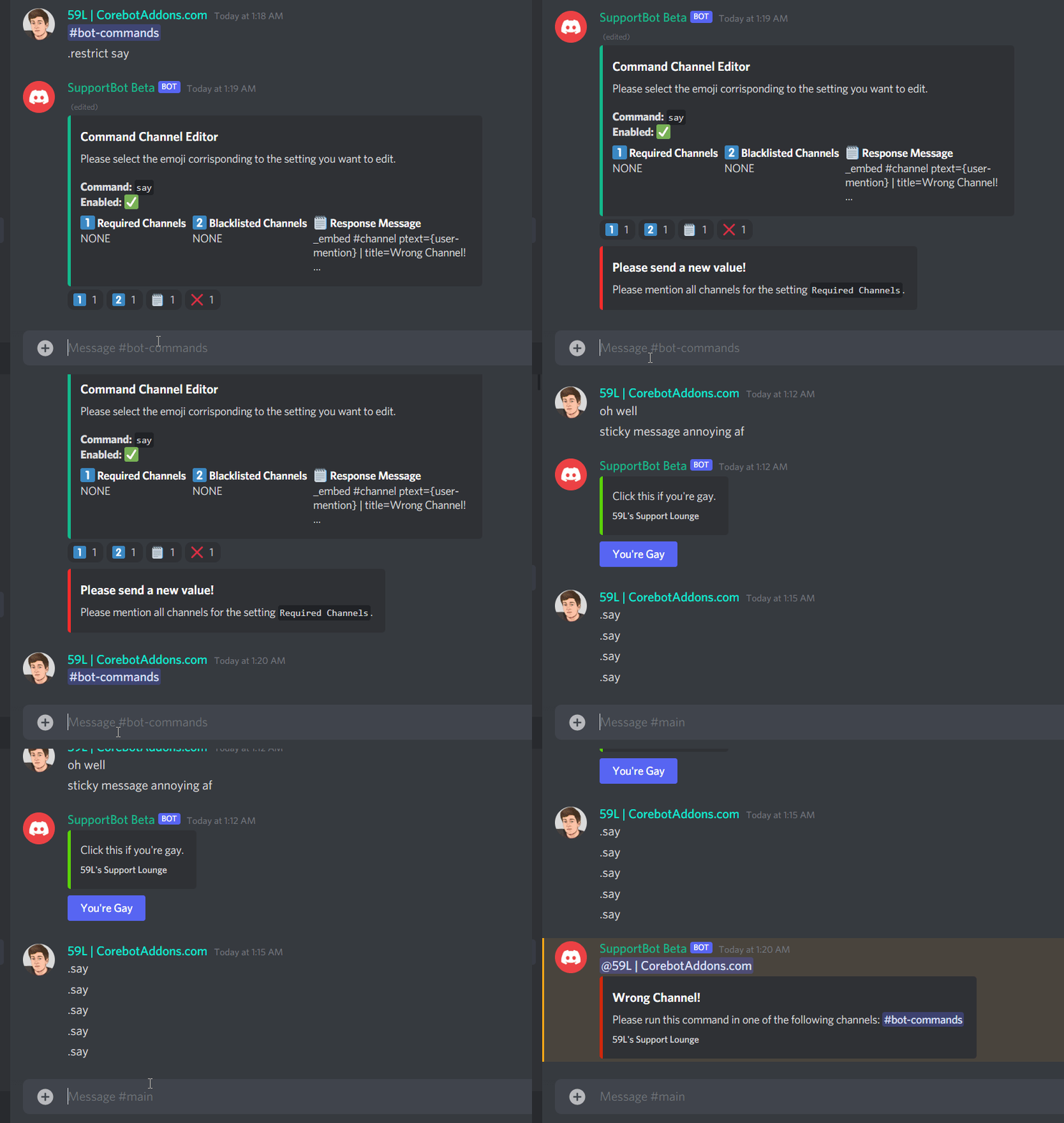



- Restrict ANY Corebot command (Supports Addons)
- Restrict to any channel(s)
- Blacklist any channel
- NO reboot required
- Overwrites command Handler
- Per Command Error Messages
- Supports Advanced Say
- Reaction Based Menu
YAML:
RequiredRole: "@everyone"
DeleteResponse: 5000
DeleteUserMessage: true
# Set to false for no delete
Commands:
  Restrict:
    Name: restrict
    Usage: restrict <cmd>
    Description: Restrict a command to be ran in certian channels
    Aliases: []
    Type: admin
Embeds:
  Errors:
    InvalidCommand:
      Title: ❌ Invalid Command
      Description: Please provide a valid corebot command. Alternatively do ``-command
        <cmd>`` to confirm that the command is loaded.
      Color: "#f52c2c"
    MissingChannelMentions:
      Title: Please Mention Channels
      Description: Please mention all channels that apply to the setting ``{type}``.
        Respond with **none** the channel array to be empty.
    InvalidChannel:
      Title: 🚫 Wrong channel!
      Descriptions:
        - "Hey, {user}! Tickets cannot be created in this channel. You can only
          create tickets in the following channel(s): {channels}"
        - "Hey, {user}! Commands are not allowed in this channel. Please run
          commands in the following channel(s): {channels}"
        - A commands channel is required to run commands, yet the channel set in
          the config does not exist! Please contact an administrator.
  Success:
    CommandMenu:
      Title: Command Channel Editor
      Description: |-
        Please select the emoji corrisponding to the setting you want to edit.
        **Command:** ``{command-name}``
        **Enabled:** {command-status}
      Fields:
        - name: "{one} Required Channels"
          value: "{required-channels}"
          inline: true
        - name: "{two} Blacklisted Channels"
          value: "{blacklisted-channels}"
          inline: true
        - name: "{three} Response Message"
          value: "{message-short}"
          inline: true
      Emojis:
        "1": 1⃣
        "2": 2⃣
        "3": 🗒️
        "4": ❌
    NewValue:
      Title: Please send a new value!
      Description: Please mention all channels for the setting ``{type}``.
      Color: "#f52c2c"
      Types:
        "1": Required Channels
        "2": Blacklisted Channels
        "3": Response Message (Advanced Say)
    EditingDone:
      Title: Editing Saved!
      Description: Your configuration for {command-name} was successfully saved.
      Color: "#25de1f"

